Vocal practice for iPhone
Sing a little every day, in your own key.
Ariose plays piano-led drills that fit your voice and shows your pitch as you sing. It listens on your iPhone and never records you.
Free to start. No account needed.

How it works
Ten minutes, a piano, and your voice
- 1
Find your note
Hum for a few seconds and Ariose suggests a comfortable place to start. Drills, key changes, and sessions stay inside the range you choose, and never widen it for you.
- 2
Sing with the piano
A four-beat count-in plays your first note. Then the piano leads each pattern, round after round, moving the key up, down, or up and back.
- 3
See where your pitch lands
A live trace draws your pitch over the melody. Notes within a quarter of a semitone count as in tune, and when Ariose can't hear you clearly, it gives no score rather than a guess.
Guided sessions
Pick a focus. Make a little time for it.
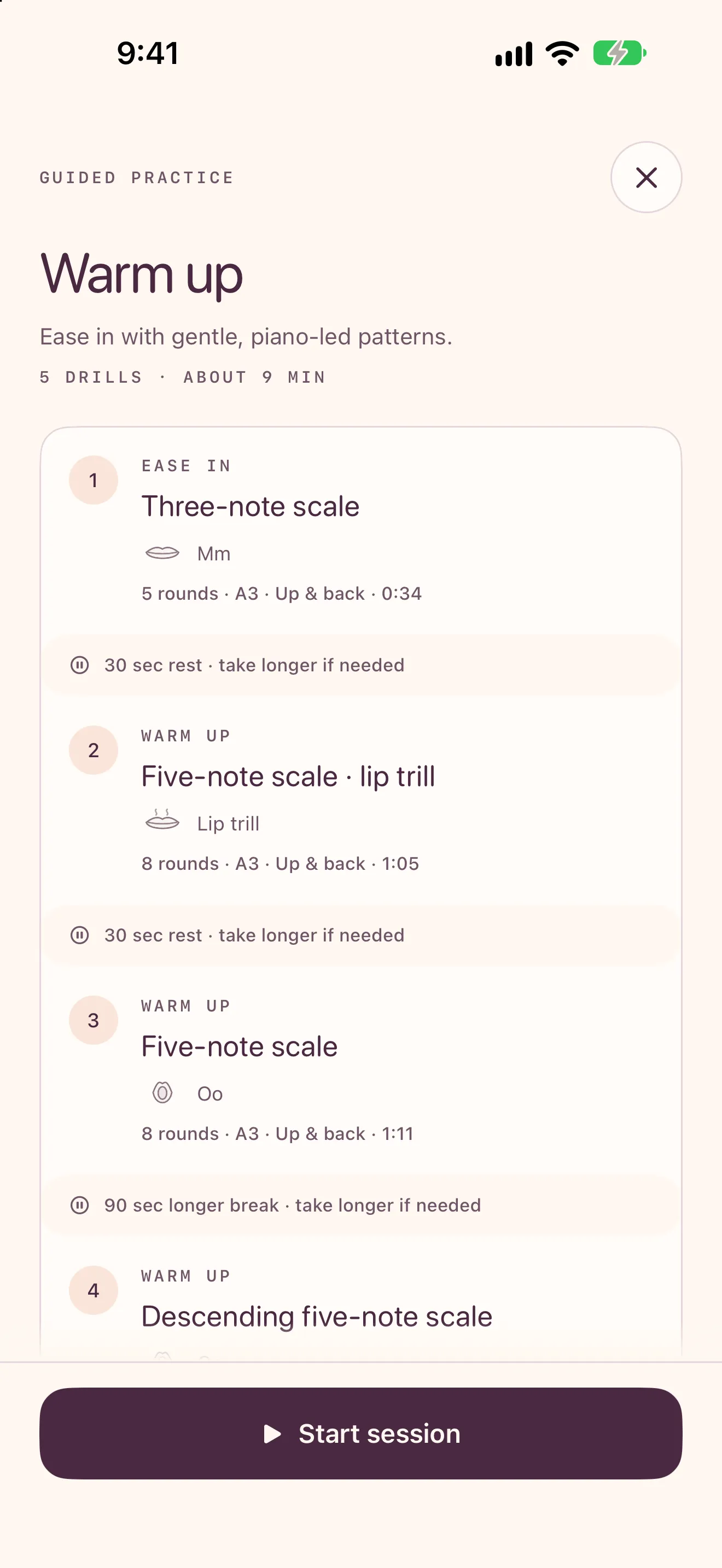
Warm up, work on range, pitch accuracy, agility, or breathing, or wind down after rehearsal. Choose a quick three-drill session or 10, 15, or 20 minutes, and Ariose plans the drills and the rests between them.
Stop anytime. Finished drills keep their credit, and you can pick up where you left off.
Made for how you sing
Wherever you are with singing
Setup asks how you sing today, and Ariose starts there. New singers start simple; everyone can change what they see in Settings.
New to singing
“I sing in the car. No idea if I’m any good.”
Start with one session and ten starter drills. More of the app opens up as you practice, based on what you do, never on a score.
Self-taught
“YouTube taught me a lot, but I don’t know what I’m missing.”
Fifty-nine drills across scales, runs, slides, intervals, and harmony, with check-ins that follow your pitch and steady notes over time.
Taking lessons
“My teacher gave me exercises. I forget how they go.”
Rebuild your teacher’s exercises in the drill studio, save them as a session, and practice them in the right key and tempo between lessons.
Choir or band
“I need to hold my part next to the altos by Thursday.”
Hear-and-sing echoes, interval drills, and harmony against a piano or drone part, plus a cool-down for after rehearsal.
Private by design
Your voice stays on your iPhone
Ariose works out your pitch on the device, as you sing. Nothing is recorded or uploaded, and there’s no account to create.
The optional Mirror uses the front camera for gentle jaw and lip cues. Frames are analyzed on your iPhone and discarded.
- No account
- No ads
- No tracking or analytics
- No recordings

In the app
Everything you need to practice
59 drills
Scales, arpeggios, slides, runs, intervals, straw and bubble sounds, and harmony. Adjust the key, tempo, rounds, and sound of each one.
Sing a song
Six public-domain songs, plus melodies you hum, turned into piano-led practice in your key.
20 short lessons
Voice basics, breath, pitch, resonance, and registers. Each ends with an experiment and a drill to try it.
Breath and body
A counted breath player and a gentle body warm-up, no piano needed.
Mirror
Optional camera cues for jaw and lip space, one gentle cue at a time, measured against your own setup.
Journey
Practice days and streaks, pitch and steady-note check-ins, and your comfortable range over time.
Questions
Good to know
Does Ariose record my voice?
No. It works out your pitch on your iPhone while you sing and saves only results, like how many notes landed in tune. Nothing is uploaded.
Do I need headphones?
They help a lot. Through the speaker, the microphone can hear the piano as well as you, so headphones give much cleaner feedback. Harmony drills are scored only with headphones.
What does the pitch feedback tell me?
How close each note you sing is to the note you’re aiming for. It can’t assess vocal health, strain, breath support, or technique, and it doesn’t try to.
Can it replace a voice teacher?
No. Ariose is for practice, on your own or between lessons. If your teacher says otherwise, go with your teacher.
What do I need?
An iPhone running iOS 17 or later.
Is there an Android version?
Not yet.